Process Recording Plugin
The purpose of this plugin is to perform post-processing of acquired electrophysiology data.
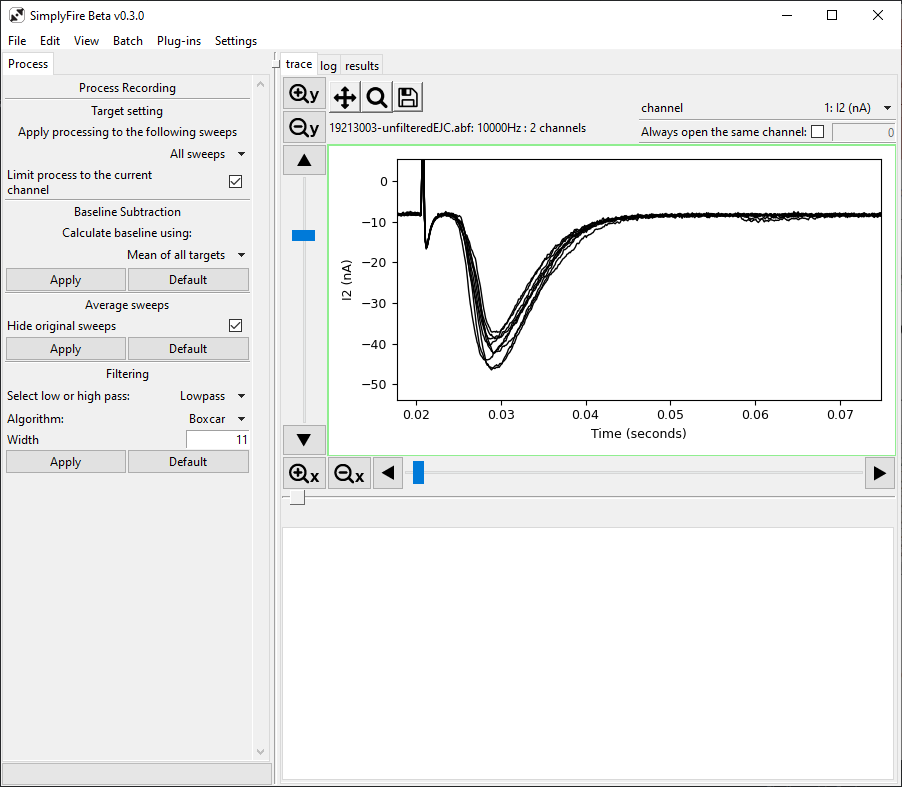
A typical layout of the Process Recording Plugin.
- Requirements
Tab title: Process
Target setting
Processing algorithm can be applied to all or a subset of the recording data.
- Apply processing to the following sweeps
Select between
All sweeps,Visible sweeps,Highlighted sweepsProcessing algorithm will be applied to the corresponding sweeps. Visibility and highlight of sweeps can be changed in theSweepsplugin and are only applicable in theoverlaymode.- Limit process to the current channel
Toggle this on to limit the scope of the algorithm to the current channel. Setting this option off will cause the processing to be applied to all channels.
Baseline Subtraction
Subtracts baseline from the sweeps. For each sweep, a single value is applied to all the data points. Different sweeps may have different baseline values, depending on the method. This process cannot flatten drift within given sweep.
3 methods are available:
- Mean of all targets
For each sweep, a mean of all y-values is calculated as the baseline. Each sweep may have different baseline values. The corresponding baseline value is subtracted from all data points per sweep.
- Mean of x-axis range
For each sweep, a mean of y-values for data points within the specified x-axis are calculated as the baseline. Each sweep may have different baseline values. The corresponding baseline value is subtracted from all data points per sweep. Use this option if there is a clear x-axis range in each sweep that should be considered as the baseline
- Fixed value
A fixed value is subtracted from all data points in every sweep.
- Apply button
Perform baseline subtraction
- Default button
Sets all input parameters for baseline subtraction to default values
Average sweeps
Only available in overlay mode.
This process produces an ‘average trace’ based on the target sweeps.
All aligning y-values (at the same t) are averaged to produce an average data point.
A new sweep representing the average trace is appended to the recording.
This process assumes that the recording was performed at constant sampling rate.
- Hide original sweeps
Checking this option will result in the original sweeps being hidden and only the new average trace being visible after the processing is completed.
- Apply button
Apply the average sweeps process
- Default button
Sets the
Hide original sweepsoption on.
Filtering
Process Recording plugin currently offers the following filtering options:
Lowpass Boxcar
Lowpass Bessel
More filtering options may be added based on demand.
Selecting the filtering algorithm makes widgets for required parameters visible.
- Apply button
Apply the filter to the sweeps
- Default button
Sets all input parameters to default values